
Search
To match a word against words in the database you can enter the word into the gematria table and press , you can click the word in the gematria table or navigate to the 🔍︎ search tab in the side panel, enter the word into the search bar and press .
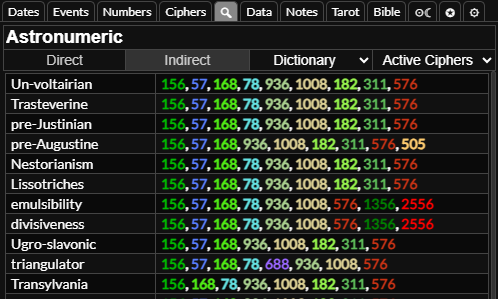
If you select it will match words that have gematria in the same ciphers as the word you entered, if you select it will match words that have the same gematria but in different ciphers.
You can select which database table you want to match the word against. User words is the words that you have entered into the calculator, dictionary is the English dictionary, Bible is the verses of Bible and Bible Strong's is the words of the bible as listed in Strong's concordance.
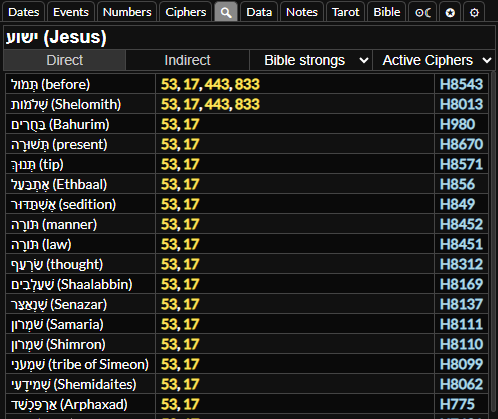
As the Bible table is sentences rather than words, and the Strong's table contains words in Hebrew and Greek with only gematria in Hebrew and Greek ciphers, you are more likely to get matches from these tables if you search for indirect matches.
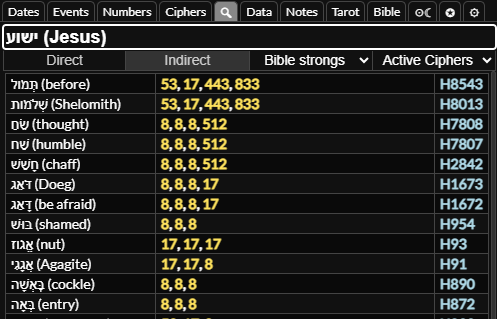
You can also select which ciphers to match in. Relevant ciphers will match the ciphers you have set as relevant in the settings tab, active ciphers will match the ciphers currently active in the calculator, base ciphers will match the ciphers you set as default active in the settings tab and all ciphers will match all ciphers.